<style>
.main{
}
.main img{
border-radius:10px;
}
.main h1{
text-align: center;
border: none;
color:4B4B4B;
letter-spacing: 3px;
}
.main h6{
text-align:right;
color:#F4AA14;
font-size:18px;
}
.main code{
background-color:#FFF0D1;
padding: 8px 10px;
border-radius: 20px;
margin-right:7px;
}
.main h2{
background-color:#0B8D97;
color:#fff;
width: max-content;
padding: 7px 25px 7px 17px;
border-top-right-radius: 40px;
border-bottom-right-radius: 40px;
border-bottom: none;
margin-top:46px;
margin-bottom: 25px;
}
.main h2 img{
padding-bottom: 4px;
border-radius:0;
}
.main p,li{
font-size: 18px;
line-height: 29px;
letter-spacing: 0.15em;
color:#525252;
}
.main .result{
background-color:#0B8D97;
padding:0.8rem 1rem 1rem 1rem;
border-radius: 10px;
}
.main .result h3{
text-align:center;
color:#fff;
margin-bottom:3rem;
}
.main .result h3 img{
margin-bottom:0.5rem
}
.main .result .pic img{
border: 5px solid #FFFFFF;
}
.main .pic{
text-align:center;
width: 84%;
margin: auto;
margin-top: 2rem;
}
.pic p{
color:#fff;
text-align:left;
font-size:1.8rem;
line-height:4rem
}
</style>
<div class="main">
# Webduino blockly 功能升級大解密
###### `初階` 2 小時
##  課程目的
將透過 6 大範例,快速學會「升級版 LED 點矩陣、迴圈、等待」積木應用,最後搭配 jsbin 來做一些進階的編輯!!
2 小時就上手!讓你更簡易地與網頁進行互動,實現你我更多創意!,讓孩子們盡情發揮想像力和創造力,設計出屬於自己的遊戲和應用。
##  課程目標
過去,阿里巴巴透過咒語「芝麻開門」打開山洞,進而發現金光閃閃的寶藏
現在,你已經可以藉由 Arduino 來控制開關和各種感測器
未來,Webduino 更要帶你實現「聲控智慧家庭」的夢想!!
##  課程內容
Webduino Blockly 新功能簡介
- 認識 迴圈、等待、LED 點矩陣積木、腳位的偵測
新功能的實戰範例 ( 需自備筆電 )
* 七彩霓虹燈 ( 三色 LED + 迴圈 + 等待 )
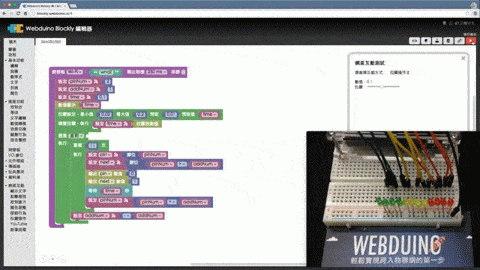
* 可調整速度的霹靂燈 ( LED + 拉霸 + 迴圈 + 等待 )
* 網頁拉霸控制霹靂燈 ( Wi-Fi + Arduino + LED + HTML5 )
* 會叫的倒數計時器 ( LED 點矩陣 + 蜂鳴器 + 迴圈 )
* 快速製作 LED 點矩陣跑馬燈 ( 字母 + 數字 + 圖案,Wi-Fi 控制 )
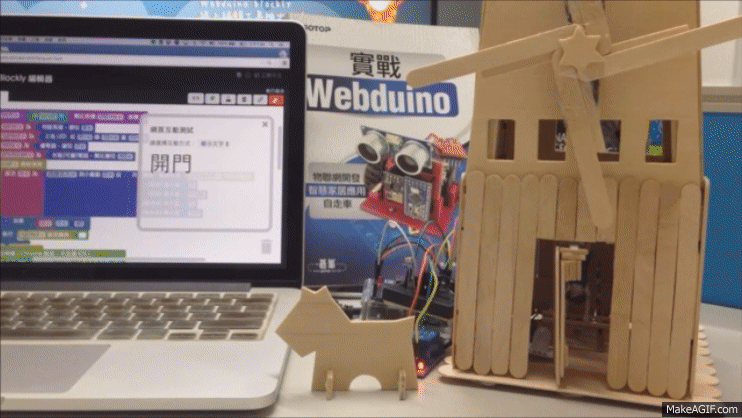
* 聲控智慧小木屋 ( 偵測光線、風車、開門、不同顏色的燈 )
<div class="result">
###  成果展示
<div class="pic">
</div>
<div class="pic">
</div>
</div>